
In the high-stakes world of digital textile manufacturing, consistency is the foundation of profitability. For owners of a professional DTF printer, the goal is to maintain the same high-resolution output on the thousandth print as on the first. तथापि, because Direct-to-Film technology involves pigment-heavy inks and thermal processes, the longevity of the machine depends entirely on daily operational discipline.
Operating a dual head DTF printer requires more than just hitting the “छपाई” button. It requires a structured Standard Operating Procedure (SOP) that protects the delicate Epson i3200-A1 printheads and ensures the integrated systems—like the powder shaker and vacuum bed—work in perfect harmony. Below is the ultimate guide to the daily best practices for maintaining an industrial-grade शिनफ्लाइंग DTF system.
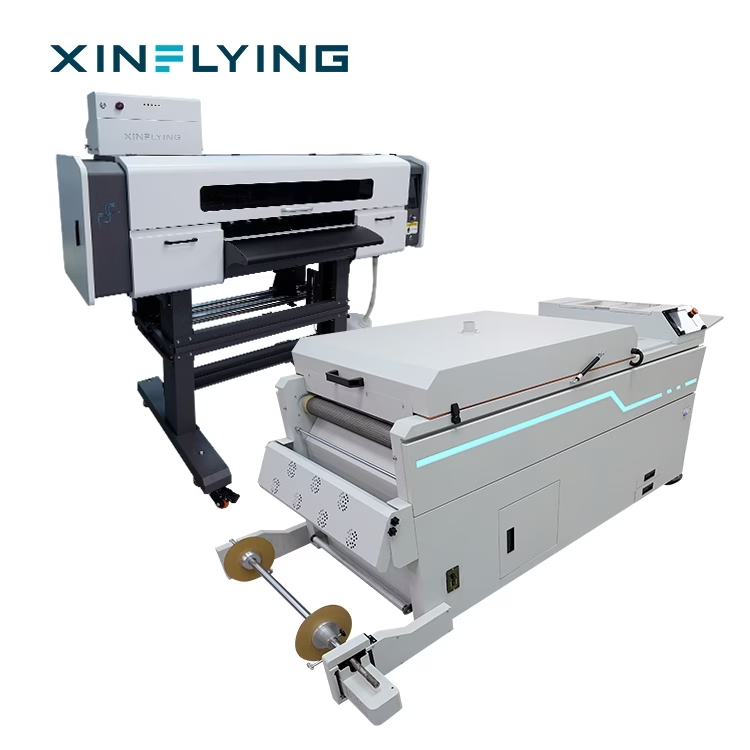
1. The Morning Start-Up Routine: Preparing for Success
The first 15 minutes of your shift determine the success of the next eight hours. Before sending any jobs to your DTF printer, you must ensure the fluid dynamics are stable.
White Ink Agitation: White DTF ink contains titanium dioxide, which is heavy and naturally settles at the bottom of the tanks and lines. Even though Xinflying machines feature an automated circulation system, you should manually check the ink levels and ensure the stirring motor is active.
The Nozzle Check: This is the most important “health check” for a dual head DTF printer. One head handles CMYK while the other handles White. A nozzle check print will reveal if any of the thousands of microscopic holes are clogged. If you see missing lines, perform a “Soft Clean” through the software immediately.
Environment Check: Verify that your room’s humidity is between 50% और 70%. If the air is too dry, the ink will dry on the nozzle plate during the day, के लिए अग्रणी “deflections” in your print quality.
2. Optimizing the Workspace of a Dual Head DTF Printer
When operating a डुअल हेड डीटीएफ प्रिंटर, you are managing double the complexity of a single-head unit. The alignment between the color head and the white head must be perfect to prevent “भूत” or white ink peeking out from the edges of your design.
During daily operation, monitor the carriage movement. Xinflying uses high-precision THK linear guide rails to ensure the carriage slides with zero friction. At the start of the day, a quick visual inspection to ensure no dust or debris has settled on the rails will prevent “jitter” in your prints. If the rails appear dry, apply a small drop of specialized lubricant to keep the motion fluid and silent.
3. Managing Consumables: Film and Powder Logistics
A common mistake in daily operation is neglecting the “non-ink” side of the DTF printer.
Film Alignment: Ensure the PET film is loaded straight. If the film is “walking” to one side, it can cause the vacuum suction to fail, leading to a “head strike” where the expensive i3200-A1 head physically hits the film.
Powder Consistency: Check the powder shaker’s reservoir. Ensure the TPU powder is dry and free of clumps. आर्द्र वातावरण में, powder can “clog” in the shaker, leading to uneven application on the wet ink. Xinflying’s integrated shakers include a recycling tray; ensure this is sieved daily to remove any “gelled” particles before reusing the powder.
4. Mid-Shift Quality Control: The “Golden Eye”
Efficiency is often found in the details. While your DTF printer is running at industrial speeds (तक 18 m²/h on a dual head DTF printer), the operator should perform “spot checks” every hour.
इलाज तापमान: Monitor the dryer’s digital display. If the temperature fluctuates, the powder may not melt completely, leading to wash-off issues for your customer.
Waste Ink Tank: Never let the waste ink tank exceed 75% capacity. An overflowing waste tank can cause “back-pressure” in the capping station, which leads to ink mixing inside the printhead nozzles.
5. The End-of-Day Shutdown: Protecting Your Investment
How you turn off your DTF printer is just as important as how you turn it on. Never simply “unplug” the machine.
Capping Station Cleaning: The “टोपी” is the rubber seal that keeps the printhead moist overnight. Over the course of the day, ink builds up on the edges. Use a lint-free swab and cleaning solution to wipe the rubber seal. This ensures an airtight fit, preventing the heads from drying out while you sleep.
Wiper Blade Maintenance: The wiper blade “scrapes” the nozzle plate. If the wiper is dirty, it will smear old ink back onto the head. A 30-second wipe of the blade is the cheapest insurance policy against a $1,000 printhead replacement.
“Flash” Cleaning: Most Xinflying machines powered by Hoson mainboards have an “auto-flash” या “moisturize” setting. Ensure this is active so that the machine stays primed for the next morning.
6. Safety and Power Management
Industrial DTF printer units are high-voltage machines. Ensure the printer and the shaker are connected to a stabilized power supply. At the end of the day, if your region is prone to power surges, it is best to use a high-quality UPS (Uninterruptible Power Supply). आगे, ensure the “Emergency Stop” button is unobstructed. Safety for the operator is just as important as the safety of the hardware.
निष्कर्ष: Discipline Equals Profit
Operating a डीटीएफ प्रिंटर is a technical craft. By adopting these daily best practices, you move from being a “hobbyist” to a “professional manufacturer.” Xinflying Group provides the industrial foundation—the dual head DTF printer speed, the Epson precision, and the Hoson stability—but the operator provides the care that keeps those components running for years.
A well-maintained machine has a higher resale value, a lower cost-per-print, and most importantly, it produces the vibrant, durable results that keep your customers coming back. Make these steps part of your team’s daily DNA, and your Xinflying printer will remain a reliable profit engine for your business.
