導入
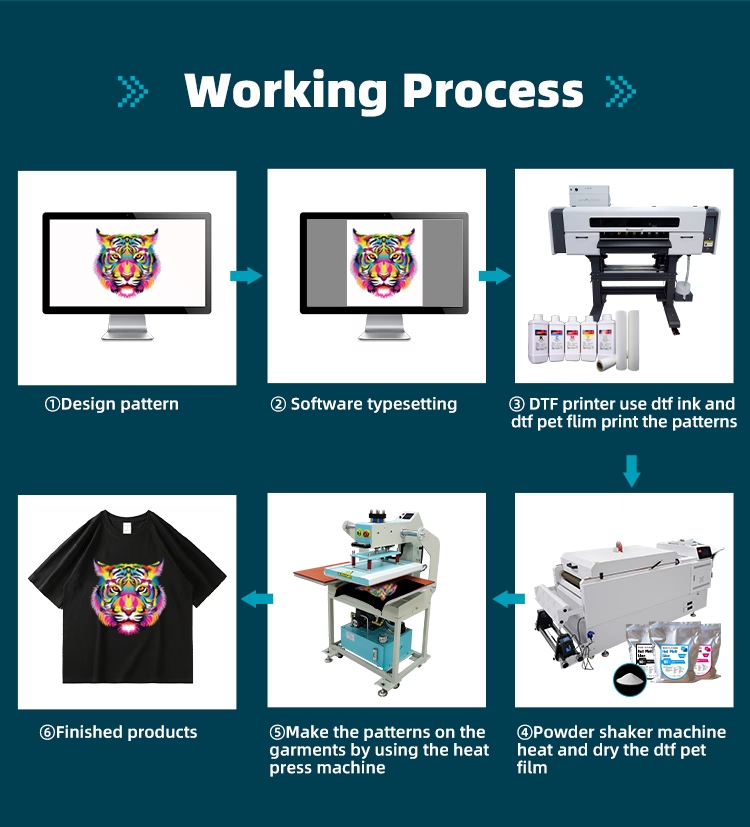
DTF printing has become a mainstream solution in the custom apparel industry due to its flexibility, 鮮やかな色, and compatibility with multiple fabrics. しかし, achieving a perfect DTF転送 depends on more than just owning a DTFプリンター.
Because DTF printing includes multiple steps—printing, powder application, 硬化, and heat pressing—even a minor mistake can lead to poor adhesion. One of the most common problems users encounter is DTF transfers not sticking properly.
This guide explains the main causes of DTF transfer failure and provides practical solutions to help you improve print durability and consistency.
Common Reasons Why DTF Transfers Fail to Stick
Heat Press Temperature or Pressure Is Incorrect
Heat pressing is the final and most critical stage of the DTF transfer process.
If the temperature is too low, the adhesive powder cannot fully melt, resulting in weak bonding. Likewise, insufficient pressure prevents the ink and adhesive from penetrating fabric fibers.
Common issues include:
- Low temperature → incomplete adhesive activation
- Insufficient pressure → surface-level adhesion
- Uneven pressure → partial peeling
Environmental Conditions Affect DTF Transfer Quality
Environmental factors play a significant role in DTF printing success.
- High humidity can cause adhesive powder to clump
- Poor ventilation may lead to incomplete powder curing
- Dust and debris can contaminate the transfer surface
Maintaining a clean, ドライ, and well-ventilated workspace is essential for stable DTF transfer results.
Incorrect Amount of DTF Adhesive Powder
Both under-application and over-application of powder can cause adhesion issues.
- Too little powder leads to weak or missing adhesion areas
- Too much powder creates thick, rigid transfers that may crack
The goal is even, full coverage without excessive buildup.
Low-Quality or Damaged DTF Transfer Film
Not all DTF transfer films deliver consistent performance.
Low-quality films often suffer from:
- Uneven coating
- Weak adhesive layers
- Poor release properties
Even premium films can fail if scratched, folded, or stored incorrectly.
See comparison guide:Hot Peel vs Cold Peel DTF Films Explained
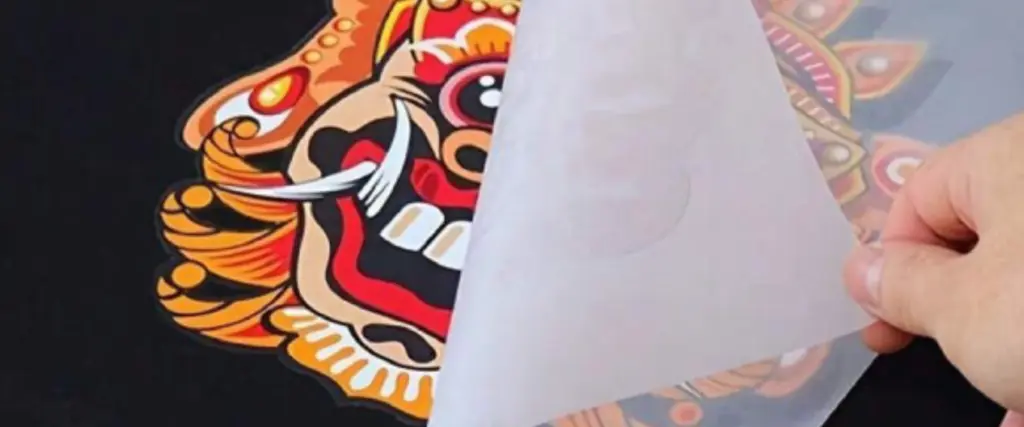
Peeling the Film Too Early
DTF transfers require proper cooling time before peeling.
Peeling the film too soon can:
- Lift ink from the fabric
- Distort the design
- Reduce long-term durability
Always follow the film manufacturer’s peeling instructions.
How to Fix DTF Transfer Adhesion Problems
Use High-Quality DTF Ink and Powder
Low-cost consumables often result in inconsistent adhesion and poor wash resistance.
Best practices:
- Test inks and powders before bulk production
- Avoid expired or improperly stored materials
- Buy from reliable DTF printer suppliers
探検する: DTF Consumables Guide: インク, 粉, Film Explained
Match the Right Fabric with Your DTF System
Although DTF printing works on many textiles, not all fabrics behave the same.
コットン, ポリエステル, and blends generally perform well, but different powders and inks may react differently.
Always test new fabrics before large production runs.
Optimize Your DTF Printing Workflow
A stable workflow improves consistency and reduces waste.
Key optimization steps:
- Calibrate your DTF printer for correct ink density
- Adjust heat press temperature and pressure per fabric type
- Fully cure adhesive powder
- Follow correct cooling and peeling procedures
Frequently Asked Questions About DTF Transfers
Q: What temperature should I use for DTF transfers?
Most DTF transfers require 300–350°F (150–177°C) for 15–20 seconds, depending on fabric and powder type.
Q: Can I use a regular printer for DTF transfers?
いいえ. DTF transfers require a dedicated or converted DTFプリンター compatible with DTF ink and film.
Q:Why does my DTF transfer peel after washing?
Peeling is usually caused by:
- Improper curing
- Incorrect heat press settings
- Low-quality or expired consumables
- Incompatible fabric
Q: Can DTF transfers crack over time?
Cracking may occur if:
- Excessive powder is applied
- Pressure is too high or too low
- Low-quality materials are used
Using proper settings and quality consumables helps prevent cracking.
Q:How much does a DTF printer cost?
DTF printer prices vary:
- Entry-level or converted models: $500–1,000ドル
- Professional DTF printers: $1,000–$15,000+, depending on size and configuration
結論
When a DTF transfer does not stick, the cause is usually related to settings, 消耗品, 環境, or process control—not the technology itself.
By optimizing your DTF printer setup, using reliable materials, and following best practices, you can consistently produce 耐久性のある, 活気のある, and wash-resistant DTF transfers.