
In the world of professional garment decoration, į DTF spausdintuvas has become a cornerstone for businesses seeking versatility and high-quality output. Tačiau, like any high-precision industrial tool, the longevity of your machine and the vibrancy of your prints depend heavily on consistent upkeep. For B2B enterprises and garment factories, equipment downtime is not just an inconvenience—it is a loss of revenue.
As one of the leading DTF printer manufacturers, Xinflying Group has spent over 16 years engineering stable, high-efficiency printing solutions. We know that a well-maintained machine can be the difference between a flourishing production line and a series of costly repairs. Žemiau, we outline seven essential maintenance tips to ensure your machine continues to deliver peak textile performance.
1. Implement a Daily Printhead Health Check
The printhead is the heart of your DTF printer. Xinflying machines often utilize high-performance Epson i3200-A1 or i1600 heads, which feature thousands of microscopic nozzles. To prevent ink from drying and clogging these channels, you should perform a “nozzle check” every morning before starting production.
If you notice any “deflection” or missing lines in the test pattern, perform a head cleaning cycle immediately. Catching a small clog early prevents it from becoming a permanent blockage that could require an expensive head replacement.
2. Prioritize White Ink Circulation
White ink is notorious in the digital printing industry for its high concentration of titanium dioxide. These heavy particles tend to settle at the bottom of tanks and tubes if the machine remains idle. To combat this, modern units from top DTF spausdintuvų gamintojai like Xinflying include automated white ink circulation systems.
Tačiau, even with automation, it is a best practice to gently shake the white ink tanks manually each morning. This ensures the pigment remains perfectly suspended, providing that opaque, bright white base that makes your colors pop on dark fabrics.
3. Maintain Optimal Environmental Conditions
A DTF printer is sensitive to its surroundings. If your workshop is too dry, ink will evaporate at the nozzle plate, leading to clogs. If it is too humid, the film may become “tacky,” affecting powder adhesion.
Temperatūra: Aim for 20°C to 28°C (68°F – 82°F).
Drėgmė: Maintain a level between 40% ir 60%.
Using a hygrometer in your print room allows you to monitor these levels accurately. Consistent environmental control leads to consistent ink flow and drying times.
4. Clean the Capping Station and Wiper Blade
While the machine has automated cleaning cycles, the physical components that facilitate that cleaning—the capping station and the wiper blade—require manual attention. Laikui bėgant, a “sludge” of waste ink and dust can build up on the rubber wiper.
If the wiper is dirty, it will smear old ink across the printhead rather than cleaning it. Use a lint-free swab and specialized cleaning solution (never water) to wipe the edges of the capping station and the blade weekly. This ensures a perfect vacuum seal when the printer is in “sleep” mode.
5. Standardize Your Consumables
Many businesses make the mistake of switching between different ink brands or films to save a few dollars. Tačiau, different formulations have different viscosities and chemical compositions. Frequently changing brands can lead to chemical reactions inside the dampers or lines.
To guarantee the best textile performance, stick to the specialized inks and films recommended by your DTF printer manufacturers. Xinflying’s proprietary consumables are chemically balanced to match our machine settings, ensuring the 1440 DPI resolution is maintained without damaging the internal components.
6. Lubricate the Carriage Rail
The carriage that holds your printheads moves back and forth thousands of times a day. If the rail becomes dry or accumulates dust, it creates friction. This friction can lead to “vibration” in the print, causing blurry edges or “ghosting.”
Kas dvi savaites, wipe the metal rail with a clean cloth to remove debris and apply a small drop of high-quality sewing machine oil or specialized rail grease. A smooth-gliding carriage ensures that every drop of ink lands with microscopic precision.
7. Monitor the Waste Ink System
It is easy to forget the waste ink bottle hidden at the back of the machine. If the waste container overflows, it can back up into the capping station, causing a massive mess and potentially damaging the electronics.
Check the waste bottle daily and empty it when it reaches the 70% mark. Papildomai, ensure that the waste tubes are not kinked or pinched, as any back-pressure can interfere with the printhead’s self-cleaning mechanism.
Precision Specs: The Xinflying Advantage
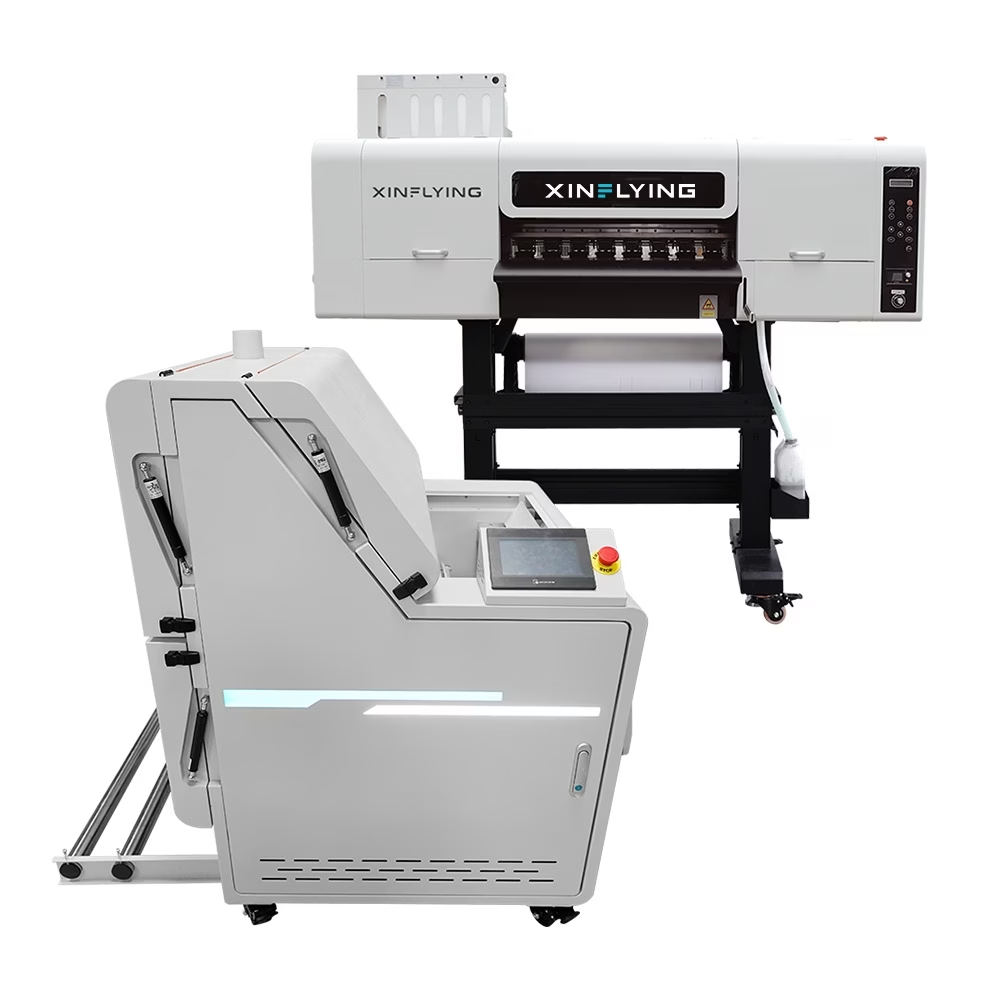
Proper maintenance is much easier when the machine is built for durability. The Xinflying C605 DTF Printer, pavyzdžiui, is engineered with the B2B user in mind:
Rašalo sistema: Includes a high-efficiency white ink stirring and circulation motor.
Build Quality: Features industrial-grade guide rails for reduced friction and noise.
Advanced Capping: A motorized lift-type capping station for a more reliable seal.
Production Capability: Stable output of 28m²/h, supported by an integrated dryer/shaker.
Išvada: Protecting Your Production Future
A DTF printer is a powerful asset for any textile business, but its performance is a direct reflection of the care it receives. By following these seven maintenance tips—focusing on printhead health, rašalo cirkuliacija, and environmental control—you can maximize your uptime and deliver superior products to your clients.
At Xinflying Group, we don’t just sell machines; we provide comprehensive support to help your business grow. As global DTF printer manufacturers, we stand by our equipment with professional training and technical guidance to ensure your production never skips a beat.
Ready to upgrade to a more stable printing solution? Explore our latest series of industrial DTF printers at Xinflying Group and see the difference that 16 years of engineering excellence can make.
