
The emergence of Direct-to-Film (DTF) technology has revolutionized the garment decoration industry, offering a versatile alternative to traditional screen printing and DTG. For businesses looking to scale, understanding the operational nuances of a DTF printer is the first step toward achieving consistent, retail-ready results.
À Xinflying Group, we pride ourselves on being leading DTF printer manufacturers with over 16 years of experience in digital inkjet innovation. Our machines are engineered for stability, but peak performance is always the result of a precise operational workflow. Whether you are working with cotton, polyester, ou tissus mélangés, this guide will walk you through the professional process of operating your equipment.
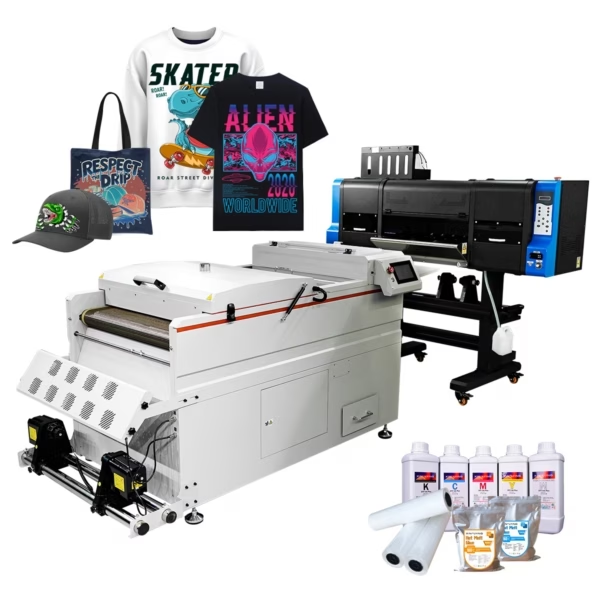
Phase 1: Pre-Operation Setup and Environmental Prep
Before you power on your DTF printer, you must ensure the environment is suitable for high-precision electronics and sensitive inks.
Check Environment: Ensure your room temperature is between 20°C and 28°C and humidity is at 40%–60%.
Ink Preparation: Gently shake the white ink tanks. As top DTF printer manufacturers, Xinflying equips its machines with automated circulation systems, but a manual stir ensures the titanium dioxide pigments are perfectly homogenized for a bright white base.
Power On & Self-Test: Turn on the printer and the integrated powder shaker/dryer. Allow the machine to perform its initial self-calibration and nozzle check to ensure all 3200 buses (in an Epson i3200-A1 head) are firing correctly.
Phase 2: Design Preparation and RIP Software
A DTF printer is only as good as the data it receives. Digital textile printing requires specialized Raster Image Processor (DÉCHIRER) software to manage color density and white ink layering.
Import Graphic: Load your high-resolution (300 DPI minimum) PNG or TIFF file into software like MainTop or CADlink.
Mirror the Image: Because you are printing onto the back of a film that will be flipped onto the garment, you must mirror your design horizontally.
Configure White Layer: Set your “Under-base” paramètres. A common B2B standard is a 100% white ink coverage behind the CMYK colors to ensure the print remains vibrant on black or dark-colored fabrics.
Phase 3: The Printing Process
Once the software is ready, it is time to interface with the hardware.
Load the PET Film: Ensure the film is loaded with the matte (treated) side facing the printheads. Xinflying printers feature advanced tension control systems to keep the film flat during the high-speed pass.
Execute Print: Send the job from the RIP software. Le Imprimante DTF will first lay down the CMYK colors, followed immediately by the white ink layer in a single pass.
Technical Spec: On a Xinflying T604 model, this happens at speeds of up to 27m²/h in 4-pass mode, providing industrial-level throughput.
Phase 4: Powdering and Curing
Le “Film” in DTF requires an adhesive to bond with the textile. This is where the automated shaker-dryer comes into play.
Apply TPU Powder: As the wet film exits the printer, it enters the shaker unit where hot-melt adhesive powder is applied.
Automated Shaking: The machine vibrates the film to remove excess powder from non-printed areas. This ensures only the design remains “sticky.”
Guérison: The film passes through an infrared dryer.
Pro Tip: For Xinflying systems, we recommend a curing temperature of roughly 110°C to 130°C. The powder should melt until it looks like an orange peel texture—smooth and slightly glossy.
Phase 5: Heat Pressing the Final Product
The final stage brings the design to life on the digital textile printing fabric.
Positioning: Place your garment on the heat press. Pre-press the fabric for 3–5 seconds to remove moisture and wrinkles.
The Press: Place the cured DTF film on the garment. Press at 150°C to 160°C (302°F – 320°F) pour 10 à 15 seconds with medium pressure.
The Peel: Most high-quality Xinflying films are “Cold Peel.” Wait for the garment to cool completely before removing the film in one smooth motion. This ensures the sharpest edges and best adhesion.
Why Choose Xinflying for Your DTF Operations?
Operating a DTF printer is significantly more efficient when the machinery is designed for the user. Xinflying machines are built with specific B2B advantages:
Precision Hardware: We use dual Epson i3200-A1 heads for 1440 Résolution DPI, ensuring even the smallest text is legible.
Stabilité: Our heavy-duty industrial frames minimize vibration during high-speed printing, reducing the risk of registration errors.
Automated Workflow: Our integrated systems combine the printer and the powder shaker into one seamless line, reducing the need for manual intervention and lowering labor costs.
Conclusion: Mastering the Art of DTF
En suivant ce guide étape par étape, operators can ensure their DTF printer produces consistent, high-quality results that meet the rigorous standards of the textile industry. From environmental prep to the final cold peel, every step is a link in the chain of quality.
As global Fabricants d'imprimantes DTF, Xinflying Group is committed to providing not just the hardware, but the knowledge required to succeed. Our 16 years of industry leadership ensure that when you partner with us, you are getting a stable, fiable, and high-performance production solution.
Ready to start your production journey? Browse our full catalog of professional printing solutions at Xinflying Group and take the first step toward industrial-grade textile printing.
