
In the competitive world of digital textile printing, clarity is king. Whether you are producing intricate logos or expansive photographic designs, the sharpness of your edges defines the quality of your brand. One of the most common technical hurdles faced by operators of a DTF принтер is ink bleeding—a phenomenon where colors leach into one another or blur at the margins before the adhesive powder can be applied.
Preventing ink bleeding is a combination of mastering environmental variables, fine-tuning software settings, and utilizing high-performance hardware. For those utilizing an industrial-grade 24in DTF printer, understanding the relationship between ink chemistry and film coating is the first step toward flawless production.
Understanding the Root Causes of Ink Bleeding
Ink bleeding in Direct-to-Film (DTF) processes occurs when the liquid ink remains in a “fluid” state on the PET film for too long. Unlike traditional inkjet printing on paper, PET film is non-porous. The ink must sit on a specialized coating that is designed to “hold” the pigment in place while the moisture evaporates.
Several factors contribute to this failure:
Висока вологість: Excess moisture in the air prevents the ink from drying quickly, causing droplets to merge.
Excessive Ink Volume: Pushing too much ink through the printhead can saturate the film’s coating.
Low-Quality PET Film: If the absorbent coating is too thin or uneven, it cannot stabilize the ink.
Static Electricity: Common in dry environments, static can cause “mist” or ink deviation, which mimics the appearance of bleeding.
Optimizing Your 24in DTF Printer for Sharpness
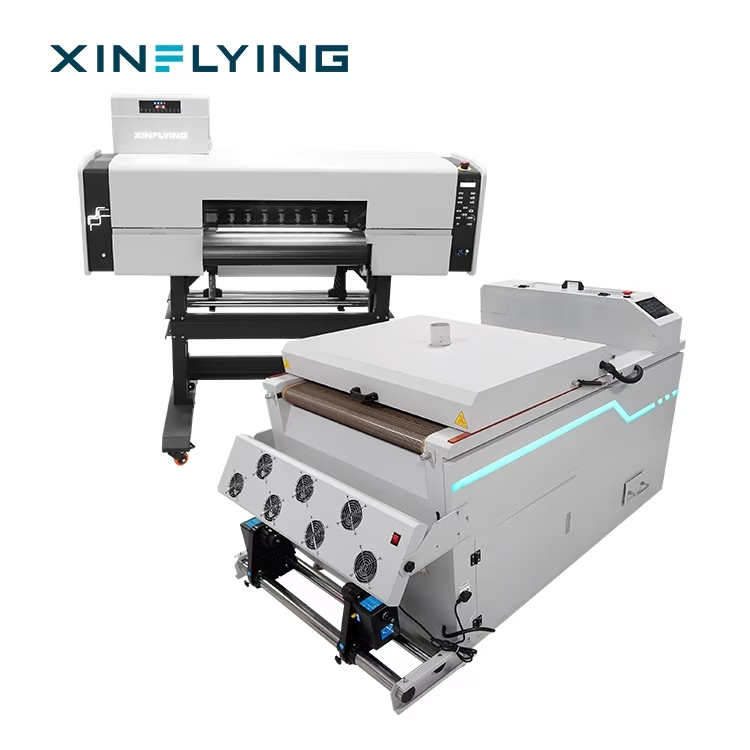
When working with high-capacity machines like the Xinflying 24in DTF printer (60cm models), the speed of the Epson i3200-A1 heads means that ink is deposited rapidly. To prevent bleeding at these speeds, the hardware must be calibrated correctly.
Xinflying’s 24-inch series, such as the C602 or 702E, features an integrated multi-stage heating system. By utilizing the pre-heating and mid-heating functions, the printer slightly warms the PET film before the ink hits the surface. This controlled thermal application increases the surface tension of the film coating, allowing the ink to “встановити” almost instantly upon contact. This is crucial when the printer is operating at its high-productivity 6-pass or 8-pass modes (reaching up to 10 m²/h).
Key Specifications for Ink Control:
Printhead Precision: Xinflying uses Epson i3200-A1 heads, which utilize PrecisionCore technology to control droplet size (VSDT) , reducing unnecessary ink overflow.
Heating Management: Adjustable front, middle, and rear heating platforms allow operators to find the “sweet spot” for their specific ink and film combination.
Mainboard Stability: The use of Hoson mainboards ensures that the data transmission to the heads is consistent, preventing “surges” in ink delivery that cause blotching.
Software Solutions: RIP Settings and Ink Limits
Even the best DTF printer hardware requires intelligent software management. Your RIP (Процесор Raster Image) software—whether you use MainTop, Фотодрук, or CADlink—is your primary tool for preventing bleed.
The most effective way to stop bleeding via software is through ink limit calibration. In many cases, the default settings for “Яскравий” printing apply more ink than the PET film can physically hold. By reducing the total ink limit (especially for the white ink layer) by even 5-10%, you can significantly increase edge sharpness without sacrificing color density. Додатково, setting a “White Ink Under-Choke” ensures that the white backing does not peek out or bleed past the colored edges of the design.
The Importance of High-Quality Consumables
You cannot solve a hardware/software problem if the consumables are the weak link. The science of a DTF printer relies on a chemical “handshake” between the ink and the film.
Ink Viscosity: Xinflying recommends high-quality pigment inks that maintain a consistent viscosity. Inks that are too thin will naturally run, while inks that are too thick can clog the fine nozzles of the i3200-A1 head.
Film Coating Technology: використання “Instant Dry” або “Cold Peel” films with a high-load coating. These films are engineered to absorb the liquid carrier of the ink while keeping the pigment on the surface, ready for the adhesive powder.
Environmental Control in the Print Shop
To maintain the professional standards expected of a 24на принтері DTF, you must control your workspace. The ideal environment for DTF printing is a temperature between 20°C and 28°C with a humidity level between 50% і 70%.
If the humidity drops below 40%, static electricity builds up, causing the ink to “spray” irregularly. If it rises above 75%, the ink will refuse to dry, leading to severe bleeding. Investing in a dedicated dehumidifier or humidifier for your print room is a small price to pay for the reduction in wasted materials and reprints.
Quick Troubleshooting Checklist for Ink Bleeding
If you notice blurring in your current production run, follow these steps:
Check the Heaters: Ensure your mid-heater is set to at least 35°C-40°C to help the ink set.
Clean the Wiper/Capping Station: Accumulated ink on the wiper can cause “dragging” across the film surface.
Perform a Nozzle Check: A deflected nozzle can fire at an angle, making edges look blurred or “bled.”
Verify Film Side: Ensure you are printing on the coated side of the PET film; printing on the reverse side will cause immediate and total ink running.
Висновок: Achieving Crisp Results with Xinflying
Preventing ink bleeding is a masterclass in precision. By combining the industrial-strength capabilities of a Xinflying DTF printer with disciplined environmental control and software calibration, you can produce garments that rival screen printing in detail and durability.
Our 24in DTF printer solutions are designed to take the guesswork out of the process, providing the thermal stability and printhead precision needed for high-resolution output. Пам'ятайте, in the textile industry, your reputation is built on the details. Eliminating ink bleed ensures that every detail—no matter how small—is captured perfectly.
