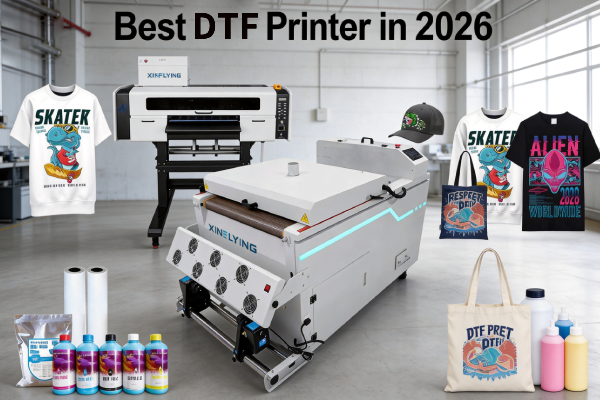
Jika anda telah mencari pencetak DTF terbaik, anda sudah tahu pasaran dibanjiri dengan pilihan — lebar cetakan yang berbeza, konfigurasi kepala cetak, julat harga, dan kes penggunaan. Pilihan yang salah boleh menyebabkan wang terbuang, pengeluaran lambat, dan sakit kepala penyelenggaraan yang tidak berkesudahan.
Panduan ini mengurangkan bunyi bising. Sama ada anda seorang pemula yang menyediakan kedai cetakan pertama anda atau kilang yang ingin meningkatkan pengeluaran, kami akan memecahkan pencetak DTF terbaik untuk setiap saiz dan belanjawan perniagaan — dan memberitahu anda perkara yang perlu dicari sebelum anda membeli.
Apa yang Menjadikan Pencetak DTF “Yang terbaik”?
Sebelum menyelami model tertentu, inilah yang membezakan pencetak DTF yang baik daripada pencetak yang hebat:
- Kualiti kepala cetak — Epson i3200-A1 dan XP600 ialah piawaian emas industri. Elakkan jenama kepala cetak yang tidak diketahui.
- Sistem peredaran dakwat putih — Dakwat DTF putih mengandungi titanium dioksida, yang cepat mendap. Sistem peredaran yang betul menghalang penyumbatan dan menjimatkan beribu-ribu penyelenggaraan.
- Kelajuan cetak — Diukur dalam m²/j. Pencetak peringkat permulaan bermula pada 3–6 m²/j; model industri mencapai 74+ m²/j.
- Lebar cetakan —A3 (13 inci) untuk kedai kecil; 24-inci untuk skala pertengahan; 48-inci untuk kilang.
- Sokongan selepas jualan — Kemas kini perisian tegar, alat ganti, dan sokongan teknikal lebih penting daripada tanda harga mesin.
Jadual Perbandingan Pencetak DTF Terbaik
| Model | Lebar Cetakan | Kepala cetak | Kelajuan | Terbaik Untuk |
|---|---|---|---|---|
| XF-450pro (2-kepala) | 16.5 inci | 2× Epson i1600-A1 | 6 lulus: 9㎡/j 8 lulus: 7㎡/j 12 lulus: 5㎡/j | Pemula / Kedai-kedai kecil |
| 702E+Z650-2 | 24 inci | 2× Epson i3200-A1 | 6lulus:10m²/j 8lulus:8m²/j 12lulus:5m²/j | Komersil berskala pertengahan |
| C604+H6501 | 24 inci | 4× Epson i3200-A1 | 4lulus:27m²/j 6lulus:18m²/j 8lulus:13m²/j | Pengeluaran komersial |
Pencetak DTF Terbaik untuk Pemula & Perniagaan Kecil
Jika anda baru bermula, anda memerlukan mesin itu mampu, mudah dikendalikan, dan boleh dipercayai — bukan yang terpantas atau terluas.
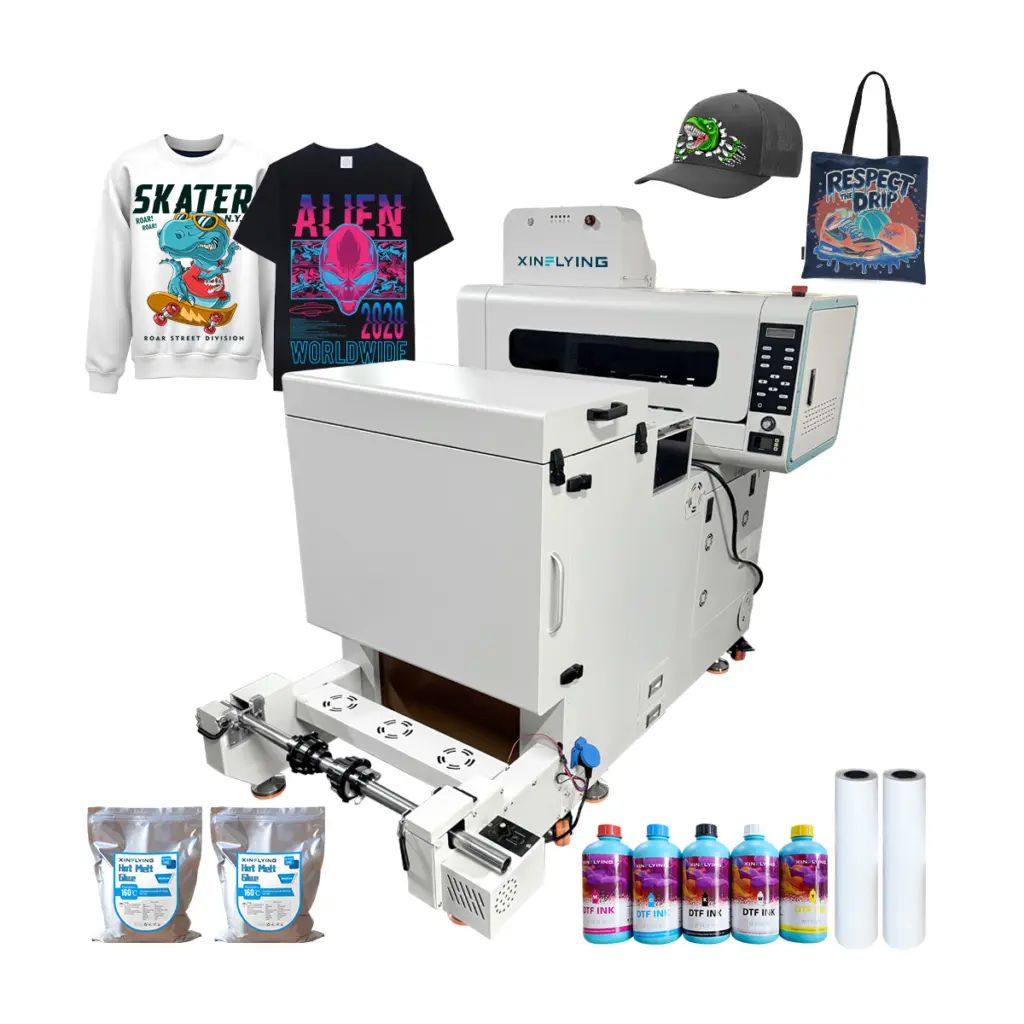
Disyorkan: Xinflying XF-450pro (2-Ketua Pencetak DTF A2)
- Lebar cetakan: 16.5 inci — cukup untuk reka bentuk kemeja-t standard
- Kepala cetak: 2× Epson i1600 — boleh dipercayai, disokong secara meluas, mudah diganti
- Kelajuan: 6 lulus: 9㎡/j; 8 lulus: 7㎡/j;12 lulus: 5㎡/j — sesuai untuk cetakan atas permintaan dan kumpulan kecil
- Sistem dakwat putih: Peredaran terbina dalam, mengurangkan risiko tersumbat
- Mengapa ia pencetak DTF terbaik untuk pemula: Kos kemasukan yang rendah, persediaan mudah, sokongan teknikal Xinflying yang sangat baik, dan rekod prestasi yang terbukti dengan beribu-ribu kedai cetakan kecil di seluruh dunia
Siapa yang patut beli ni: Pemula t-shirt tersuai, Penjual Etsy, usahawan cetak atas permintaan, dan sesiapa yang mencetak di bawah 20 pakaian setiap hari.
Pencetak DTF Terbaik untuk Penggunaan Komersial Kecil hingga Pertengahan
Setelah perniagaan anda berkembang melepasi 20–50 cetakan setiap hari, anda memerlukan lebih kelajuan dan konsisten.
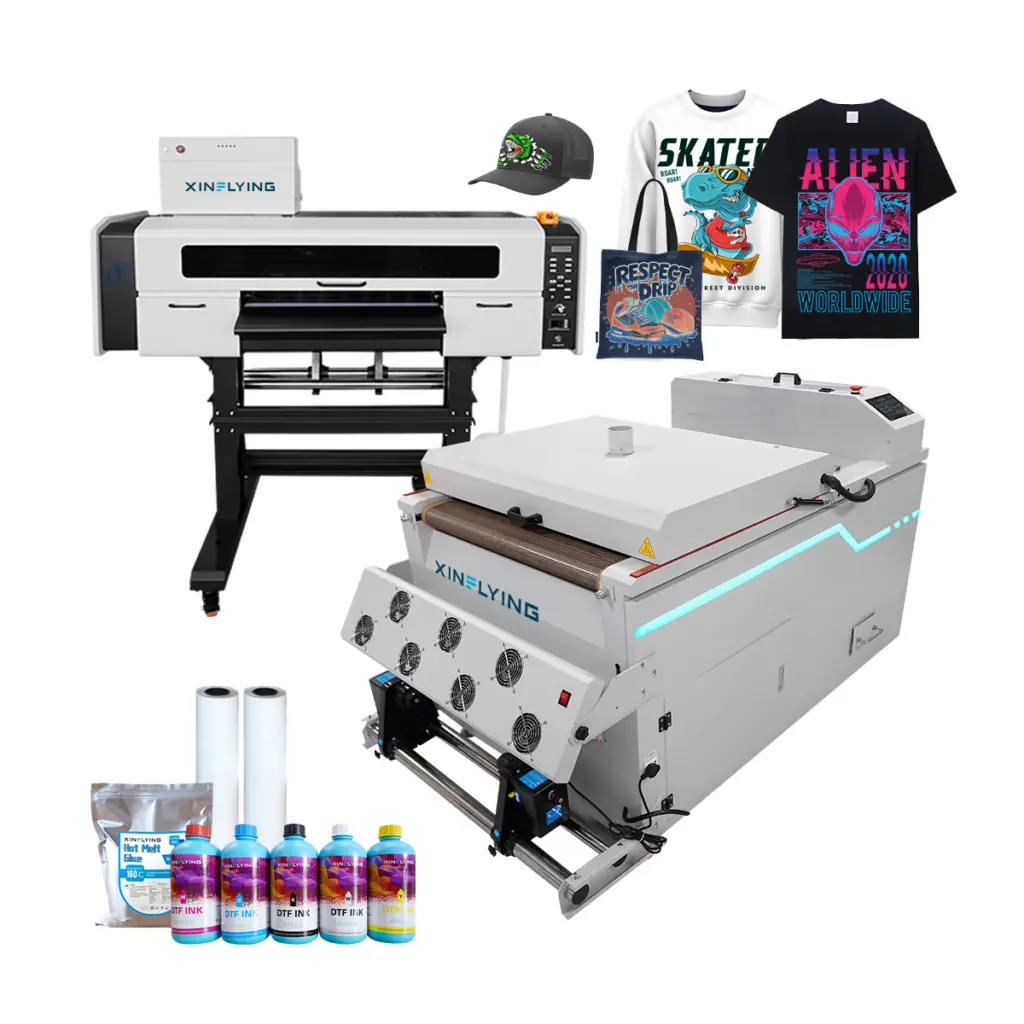
Disyorkan: Xinflying 702E+Z650-2 (24-Pencetak DTF 2 Kepala Inci)
- Lebar cetakan: 24 inci — mengendalikan kepingan geng dengan cekap
- Kepala cetak: 2× Epson i3200-A1 — kepala cetak yang paling boleh dipercayai untuk kegunaan DTF komersial
- Kelajuan: 6lulus:10m²/j; 8lulus:8m²/j; 12lulus:5m²/j
- Dakwat putih: Sistem pengadukan dan peredaran automatik
Siapa yang patut beli ni: Membesarkan kedai cetak, perniagaan cetakan skrin menambah DTF, dan operasi pemenuhan POD.
Panduan Pembelian Pencetak DTF: 5 Soalan untuk Ditanya Sebelum Anda Membeli
1. Berapakah jumlah cetakan harian anda? Di bawah 20 cetakan/hari → peringkat kemasukan A3 atau A2. 20–200 cetakan/hari → 24-inci 4-kepala. 200+ cetakan/hari → perindustrian 48 inci.
2. Adakah anda memerlukan barisan pengeluaran yang lengkap atau hanya pencetak? Pencetak DTF kendiri masih memerlukan penggoncang serbuk dan ketuhar pengawetan. Xinflying menawarkan himpunan DTF lengkap yang termasuk pencetak + penggoncang + ketuhar — menjimatkan anda sakit kepala integrasi.
3. Kain apa yang akan anda cetak? Cetakan DTF pada kapas, poliester, campuran, nilon, kulit, dan denim. Jika anda mencetak secara eksklusif pada 100% pakaian sukan poliester, pertimbangkan sama ada pemejalwapan mungkin menawarkan hasil yang lebih baik untuk kes penggunaan anda.
4. Berapakah belanjawan anda untuk dakwat dan bahan guna habis? Dakwat DTF, Filem PET, dan serbuk pelekat adalah kos berulang. Tanya pembekal anda untuk anggaran kos setiap cetakan sebelum membeli.
5. Seperti apa sokongan selepas jualan? Pencetak adalah pelaburan jangka panjang. Cari pembekal yang menawarkan kemas kini perisian tegar, ketersediaan alat ganti, dan sokongan teknikal masa nyata — bukan hanya manual PDF.
Mengapa Pencetak DTF Xinflying?
Sejak 2010, Xinflying telah membekalkan penyelesaian pencetakan DTF kepada pelanggan di seluruh Amerika Utara, Eropah, dan Asia. Setiap mesin dihantar dengan:
- ✅ Kepala cetak Epson i3200-A1 atau XP600 tulen
- ✅ Sistem peredaran dakwat putih automatik
- ✅ Perisian RIP pra-konfigurasi
- ✅ Waranti 1 tahun dengan sokongan teknikal khusus
- ✅ Alat ganti disimpan secara global untuk penggantian pantas
Soalan yang sering ditanya
Q: Apakah pencetak DTF terbaik untuk perniagaan kecil di 2026? A: Untuk kebanyakan perniagaan kecil, Xinflying XF-450pro dengan dua kepala cetak Epson XP600 menawarkan keseimbangan terbaik kualiti cetakan, kebolehpercayaan, dan harga. Ia mengendalikan sehingga 6 m²/j dan memerlukan pengetahuan teknikal yang minimum untuk beroperasi.
Q: Apakah perbezaan antara percetakan DTF dan DTG? A: DTF (Terus ke Filem) mencetak pada filem PET terlebih dahulu, kemudian dipindahkan ke fabrik melalui penekan haba — ia berfungsi pada hampir semua fabrik termasuk kapas, poliester, dan sebati. DTG (Terus ke Garment) mencetak terus pada pakaian tetapi memerlukan pra-rawatan dan berfungsi dengan baik 100% kapas. DTF biasanya menawarkan lebih banyak kepelbagaian bahan; DTG menawarkan rasa tangan yang lebih lembut pada kapas.
Q: Adakah percetakan DTF menguntungkan dalam 2026? A: ya. Percetakan DTF terus berkembang sebagai kaedah pilihan untuk pakaian tersuai kerana fleksibiliti tanpa pesanan minimumnya, output warna yang bersemangat, dan keserasian dengan hampir mana-mana fabrik. Margin keuntungan untuk perniagaan cetakan atas permintaan DTF biasanya berkisar antara 40–70% bergantung pada volum dan strategi harga.
Q: Adakah saya memerlukan perisian RIP khas untuk pencetakan DTF? A: ya. Kebanyakan pencetak DTF komersial memerlukan perisian RIP (seperti Maintop atau Photoprint) untuk menguruskan profil warna, lapisan dakwat putih, dan mencetak baris gilir. Mesin Xinflying datang pra-konfigurasi dengan perisian RIP yang serasi.