Одржавање вашег ДТФ штампача је пресудан за конзистентан и квалитетан излаз. One of the most common challenges users face is printhead clogging, which can disrupt production and increase maintenance costs. Follow these best practices to minimize clogging and extend the lifespan of your printer:
1. Maintain a Stable Printing Frequency
а. Regular Usage:
Even if you don’t have heavy printing tasks, use your printer regularly. На пример, print a simple test pattern every few days to ensure ink circulates properly. This prevents ink from drying or settling in the printhead, maintaining smooth flow and reducing clogging risks.
б. Efficient Task Scheduling:
Plan large or extended print runs carefully. Ensure the printer is in good working condition with sufficient ink and a clean printhead. Avoid frequent interruptions during print jobs, as paused ink can dry and clog the nozzles. If you must pause printing, let the printhead return to its initial position to prevent drying.
2. Use the Printer Correctly
а. Правилни поступци искључивања:
When shutting down, ensure the printer completes its printhead protection process. Many printers automatically move the printhead to a capping or moisturizing station during shutdown. If your printer doesn’t have this feature, manually send commands to park and moisturize the printhead before powering off.
3. Select High-Quality Consumables
а. Premium Ink:
Choose high-quality inks that are specifically formulated for your DTF printer. Premium inks are finely filtered with fewer impurities, reducing the risk of clogging caused by debris. Opt for inks with balanced drying speeds to prevent premature drying inside the printhead.
Avoid mixing inks from different brands or batches, as chemical reactions or sediment formation may occur, leading to nozzle blockages.
б. Compatible Printing Materials:
Ensure that your heat transfer films are compatible with your printer and ink. Poor-quality films with uneven surfaces or improper absorption can interfere with ink flow and cause residue buildup on the printhead. Choose films with smooth surfaces and good absorption properties to minimize ink residue.
4. Редовно чишћење главе штампача
а. Свакодневно чишћење:
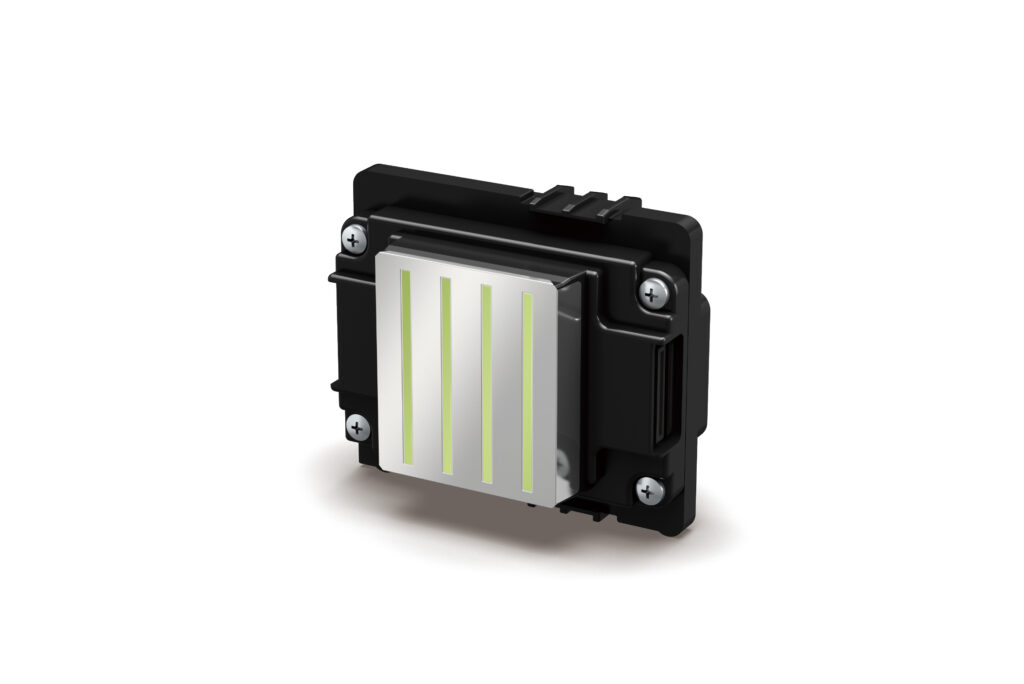
Gently clean the printhead exterior with a soft, lint-free cloth dampened with distilled water. Remove dust, ink residue, and fibers from the surface. Perform this routine weekly to keep the printhead clean. Avoid using sharp or abrasive tools that could damage the printhead.
Utilize your printer’s built-in automatic cleaning function to flush out light blockages and dried ink. Set an appropriate cleaning schedule based on your usage frequency, but don’t overuse this function, as it may waste ink and wear down the printhead.
б. Periodic Deep Cleaning:
Conduct deep cleaning every month or as needed. Soak the printhead in a specialized cleaning solution to dissolve stubborn ink residues. Након натапања, rinse with distilled water, let it dry completely, и поново је инсталирати. Follow up with printhead calibration for optimal performance.
5. Control the Printing Environment
а. Optimize Temperature and Humidity:
Maintain a room temperature of 18–25°C (64–77°F) and a relative humidity of 40–60%. This range ensures optimal ink flow and drying time. Use air conditioning or dehumidifiers to control environmental conditions. Avoid high temperatures that cause ink to dry or excessive humidity that may lead to ink sedimentation.
б. Смањите прашину и статички:
Keep the printing area clean and free from dust. Use a printer cover to protect the machine when not in use and clean the workspace regularly. Static electricity can attract dust and debris, so use anti-static tools or increase humidity with a humidifier to minimize static buildup.
Закључак
Preventing printhead clogging in your DTF printer requires consistent maintenance, proper handling, and a suitable environment. Слиједећи ове савете, you can ensure smooth operation, extend the lifespan of your printhead, and produce high-quality prints consistently.