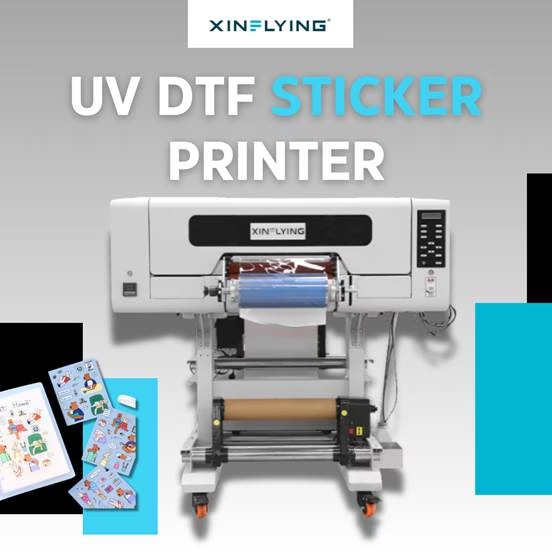
As desktop and roll-fed printing technologies mature rapidly, expanding into on-demand hard goods is an increasingly viable path for custom business owners.
Whether you are adding product lines to an existing apparel shop or launching a dedicated accessories brand, investing in a UV DTF sticker printer requires careful consideration of hardware specs, workflows, and output goals.
This guide breaks down the core technology and provides an objective framework for evaluating equipment, helping you make an informed choice for your production setup.
UV DTF vs. Standard DTF: What’s the Difference?
While both technologies utilize transfer film, their applications and production workflows are fundamentally different.
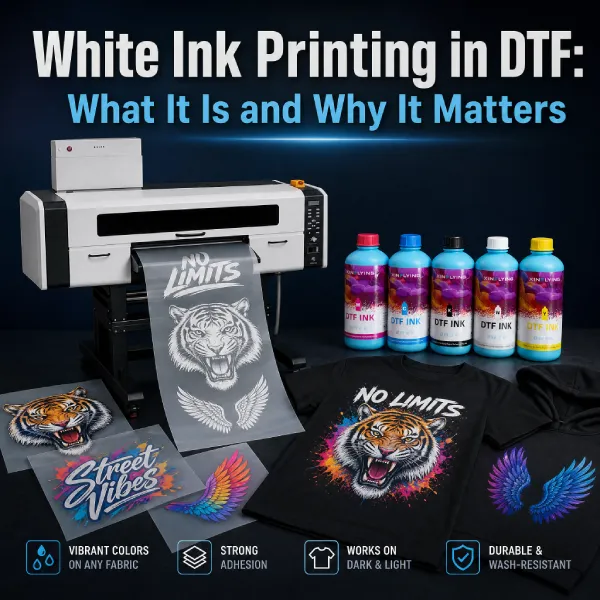
Standard DTF is strictly dedicated to apparel and soft textiles. It requires specialized pigment ink, hot-melt adhesive powder, a curing dryer (or oven), and a thermal heat press to bond the design to fabrics. The primary focus is maintaining flexibility, stretch tolerance, and washability on garments.
UV DTF is designed for hard, rigid surfaces. The printer deposits UV-curable ink (CMYK + White + Varnish) directly onto a specialized PET A/B transfer film. The ink is instantly hardened by integrated UV LED lamps. This enables a peel-and-stick application to rigid objects without requiring any heat press or fabric pretreatment.
How Do DTF and UV DTF Work?
Standard DTF Workflow:
- Print the design onto PET transfer film using textile inks.
- Apply hot-melt adhesive powder onto the wet ink.
- Cure the powder and ink in an oven or dryer.
- Heat press the cured film onto the garment to activate the adhesive.
UV DTF Workflow:
- Print the design directly onto Film A using UV ink, which cures instantly under an integrated UV LED lamp.
- Laminate Transfer Film B over the printed Film A using a laminator.
- Cut the sticker design.
- Apply by peeling the backing, sticking the label directly onto the rigid object, and smoothing it down (no heat applied).
| Feature Comparison | Standard DTF | UV DTF |
|---|---|---|
| Primary Substrates | Soft textiles (t-shirts, hoodies, fabrics, leather) | Hard surfaces (glass, metal, plastic, wood, acrylic, leather) |
| Inks Used | Textile-compatible pigment ink | UV-curable ink (CMYK + White + Varnish) |
| Curing Mechanism | Hot-melt adhesive powder and oven baking | Instant UV LED light curing during printing |
| Transfer Process | Heat press required | Peel-and-stick laminated A/B film (no heat press) |
| Drying Time | Requires drying/baking time | Instant drying upon UV light exposure |
| Special Finishes | Flexible, stretchable matte prints | Varnish coatings (glossy/matte) and 3D raised tactile textures |
How to Choose a Commercial UV DTF Printer for Sale?
Choosing the right equipment for producing custom stickers and decals involves looking closely at technical specifications, long-term operational costs, and workflow integration. Here is a breakdown of the critical factors to evaluate.
Print Heads & Resolution
For sharp small text and crisp edges on labels, look for a minimum resolution of 1440 x 720 DPI, scaling up to 1200 x 1200 DPI or 1200 x 2400 DPI.
- Entry-Level (1 Printhead): Models with a single industrial printhead (e.g., Epson i1600 or i3200) are easier to maintain while providing sharp output.
- Mid-to-High Volume (2 to 3 Printheads): Adding a second or third printhead (such as triple Epson i1600-U1 heads) increases print speed and enables simultaneous multi-layer printing, which is necessary for raised 3D tactile textures.
Film and Ink Configuration Compatibility
Ensure the system supports a CMYK + White + Varnish ink setup. White ink provides essential opacity for transparent or dark surfaces, while varnish applies the protective finish that adds scratch resistance and dimensional effects.
Furthermore, verify that the printer utilizes high-intensity UV LED lamps for rapid, instant curing, preventing drying delays.
Continuous Roll Production Capacity
Examine the print width and handling. Compact systems typically feature print widths ranging from 300mm to 600mm (12″ to 24″). Systems that offer integrated printing (onto Film A) and immediate lamination (with Transfer Film B) in a single continuous process eliminate manual lamination steps and reduce registration errors.

Software Ecosystem & Smart Automation
A full color sticker printer relies heavily on its software to manage white ink layering and varnish order. Standard RIP software includes PrintFactory, PhotoPrint, CADlink, or Maintop. For hardware longevity, evaluate systems that feature intelligent low-ink alarms, printhead anti-collision guards, and stable linear motion drives.
2026 Best Custom UV DTF Stickers Printer for Your Production Workflow
For businesses aiming to scale label production efficiently, the Xinflying XF-450S serves as a strong benchmark.
It is a specialized, integrated printing and laminating unit designed specifically for high-resolution UV DTF crystal labels and packaging decals.
XF-450S Spec
| Feature | Specification |
|---|---|
| Printheads | 3 x Epson i1600-U1 |
| Print Width | 12″ (300mm) |
| Print Speed | 2.75 m²/h (8-Pass) |
| Ink Color Setup | CMYK + White + Varnish (+ Extended Colors) |
| Media Type | PET Film A + Film B |
| RIP Software | PrintFactory / Maintop (Standard), CADlink / PhotoPrint / RIIN (Optional) |
Why Choose XF-450S
The XF-450S focuses on streamlining the production cycle for Small-to-Medium Enterprises (SMEs) by addressing common bottlenecks:
- Triple Epson Printhead Configuration: Equipped with three industrial Epson i1600-U1 printheads, it delivers a production speed of 2.75 m²/h at an 8-pass setting. This 3-head setup allows for simultaneous CMYK, White, and Varnish printing in a single pass.
- Integrated Printing & Automated Lamination: The machine combines printing onto PET Film A and immediate lamination with Transfer Film B inside one compact unit, removing the need for a standalone laminator.

- Industrial Reliability Features: It includes an intelligent real-time ink shortage alarm to prevent dry-running, a physical printhead anti-collision guard, a precision linear motion drive for sharp registration, and a stable ribbon cable system to prevent signal interference.
- Instant Curing & Adhesion: High-intensity air-cooled UV lamps instantly solidify the ink, producing stickers with high surface hardness and scratch resistance.
- SME-Friendly Footprint: The 12-inch (300mm) print width and 1300 x 1000 x 1450 mm physical footprint keep the hardware compact. It comes standard with PrintFactory or Maintop software, with optional support for CADlink, PhotoPrint, and RIIN.
FAQ for UV DTF Transfers
Are UV DTF stickers dishwasher safe?
The instant UV LED curing process produces stickers with high surface hardness, water resistance, and scratch resistance. While they withstand standard washing and moisture well, hand-washing is generally advised to maximize the longevity and adhesion of the decal over time.
What materials can UV DTF stickers be applied to?
These transfers are engineered specifically for hard, rigid, and sloped surfaces. Compatible materials include glassware, tumblers, ceramic tiles, phone cases, wood, metal, acrylic, plastic, and leather.
Can I use a UV DTF printer for t-shirts and apparel?
Generally no. UV DTF inks are formulated for hard surfaces and lack the necessary flexibility for garments. Standard DTF equipment is strictly required for soft textiles and apparel.
Partner with Xinflying to Scale Your Business
Start from scratch of your custom or on-demand business, no worries, Xinflying is here 24/7. Email our expert team today!